
Compare Snowball and Avalanche in a Debt Payoff Spreadsheet
To compare two repayment priorities, keep the debt inputs and monthly payment budget the same. Change the strategy, then compare the estimated payoff time and interest. Sheetlark’s Debt Payoff example lets you try this without entering personal financial information.
The figures below describe a simplified fixed-rate model. They are not lender payoff quotes or a recommendation for your personal circumstances.
Start with the same three debts
| Debt | Starting balance | APR | Original minimum payment |
|---|---|---|---|
| Card A | $1,200 | 24.9% | $50 |
| Car loan | $8,000 | 6% | $240 |
| Card B | $3,000 | 29.9% | $100 |
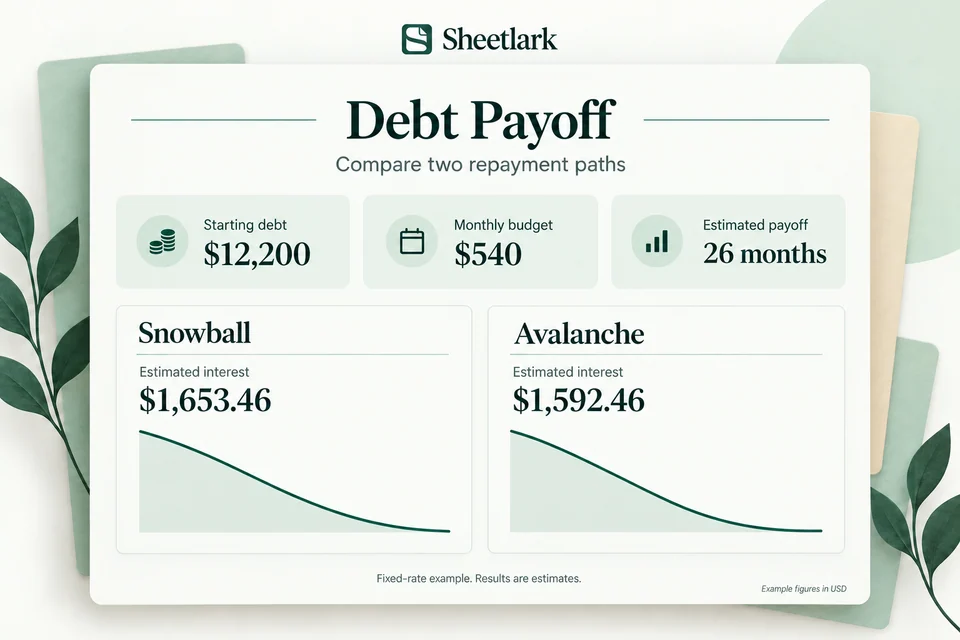
Starting debt totals $12,200. Original minimum payments total $390. Adding $150 gives a monthly payment budget of $540.
In your own workbook, follow Start Here and Example before filling the yellow cells in Debts. Keep formula cells intact.
Compare which debt comes first
Snowball prioritizes the smallest balance: Card A comes first in this example. Avalanche prioritizes the highest APR: Card B comes first at 29.9%.
The Consumer Financial Protection Bureau’s debt action plan explains these two ways of setting payment priorities. The results here are calculated from Sheetlark’s example inputs.
In the interactive example, switch Payment strategy between Snowball and Avalanche. Keep the extra payment at $150 so that the two results use the same budget.
Look at both time and estimated interest
| Strategy | Estimated payoff | Estimated interest |
|---|---|---|
| Snowball | 26 months | $1,653.46 |
| Avalanche | 26 months | $1,592.46 |
Both estimates reach payoff in the same number of months for these inputs. The interest totals differ by $61.00. Those results belong to this example; they do not establish a guaranteed saving or a universally better strategy.
Change one input at a time
After comparing strategies, try changing the extra payment to $250. That changes the total monthly budget from $540 to $640. Review the new estimated months and balance curve, then choose Reset example to return to the original figures.
In your own workbook, review Priority, Schedule, Overview and Dashboard together. The monthly budget rolls into the remaining debts as balances are paid off; the final payment may be below the budget.
Check the assumptions before relying on a result
This model uses fixed APR divided by 12, monthly interest rounded to cents, month-end payments and fixed original minimum payments. It excludes fees, new borrowing and changing rates. The workbook supports up to 10 debts and caps the model at 360 months.
Actual lender interest calculations, payment timing and required minimums can differ. Compare the model with your lender’s terms and records. An estimated payoff date is not a guarantee.
Try the Debt Payoff example, or see what Debt Payoff includes.